Using the Grid for Precision
The grid feature in Draw It Online helps you draw with precision and proportion. Whether you're sketching, planning a composition, or drawing from a reference, the grid is an essential tool.
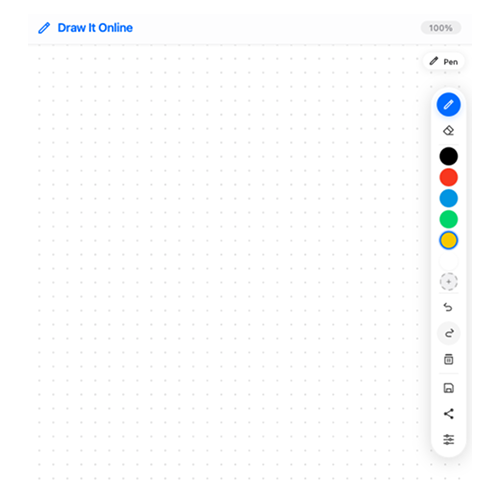
The grid helps you maintain proportions and alignment.
Enabling the Grid
To turn on the grid, open the Settings modal (click the gear icon on the toolbar) and toggle the Show Grid switch.
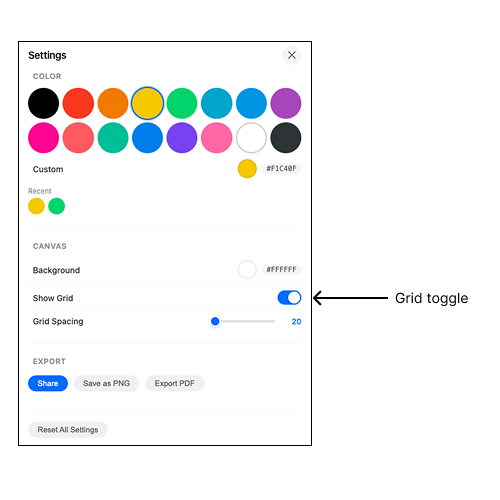
Toggle the grid on and off in Settings.
The grid appears as a series of small dots across your canvas. You can adjust the grid spacing to suit your needs.
Adjusting Grid Spacing
The grid spacing controls how far apart the dots are. Smaller spacing gives you a finer grid for detailed work. Larger spacing is better for broad compositions.
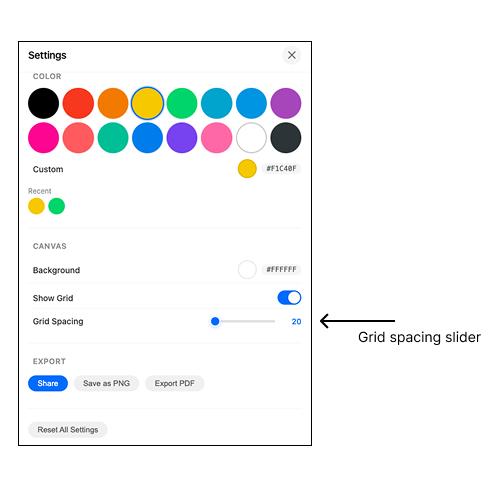
Adjust grid spacing from 20px to 80px.
- 20-30px – Fine grid for detailed, precise work.
- 40-50px – Medium grid, good for most drawing tasks.
- 60-80px – Coarse grid for composition planning.
How to Use the Grid
The grid helps you in several ways:
- Proportions – Compare the size and position of different elements.
- Alignment – Keep lines and shapes properly aligned.
- Reference – If you're copying an image, you can mentally map it to the grid.
- Composition – Plan the layout of your drawing before you start.
Use the grid to keep your proportions accurate.
The grid is only a visual guide – it won't appear in your exported PNG or PDF.
Pro Tips for Using the Grid
- Use it for portraits – Grids are especially helpful for drawing faces with accurate proportions.
- Plan your composition – Sketch a rough layout using the grid before adding details.
- Combine with zoom – Zoom in for fine details while keeping the grid visible.
- Toggle it on and off – Turn the grid on when you need it, off when you don't.
You can change the background colour in Settings to make the grid dots more visible against your drawing.
The grid is a powerful tool for precision drawing. Give it a try and see how it improves your accuracy.